AI in Your Pocket
Trust me on this.
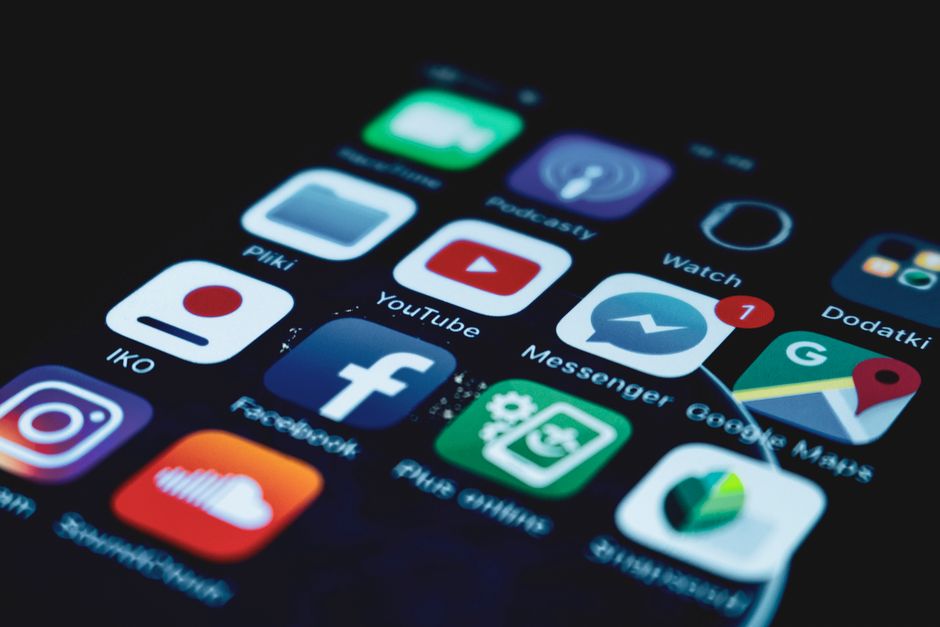
The most transformative AI experiences are increasingly happening on the device that never leaves your side: your smartphone. AI-powered mobile apps have matured dramatically, moving beyond novelty and gimmicks to deliver genuinely useful capabilities that enhance productivity, creativity, communication, and daily life. In 2026, the smartphone is not just a portal to cloud-based AI services but increasingly a platform for on-device AI processing that is fast, private, and always available.
The convergence of powerful mobile processors, optimized AI models designed for edge deployment, and sophisticated app integration has created a mobile AI ecosystem of remarkable depth. Apple's Neural Engine, now in its 5th generation, and Google's Tensor G5 chip provide hardware acceleration that enables sophisticated AI models to run directly on devices. This means AI features like real-time translation, image editing, and language processing work instantly without requiring an internet connection, transforming the mobile experience in fundamental ways.
This article reviews the best AI mobile apps available for both iPhone and Android in 2026, covering categories including AI assistants, creative tools, productivity apps, and specialized utilities. Each app has been tested for performance, usefulness, privacy practices, and value for money. Whether you are an early adopter looking for cutting-edge AI experiences or a practical user seeking tools that make your daily life easier, these apps represent the best of what mobile AI has to offer.
Best AI Assistant Apps
The most important category of AI mobile apps is the general-purpose assistant, and the competition between the three major platforms has created exceptional options for both iOS and Android. ChatGPT's mobile app for both platforms offers the full power of GPT-5 with voice conversations, image analysis, file uploads, and real-time web search. The advanced voice mode is particularly impressive on mobile, enabling natural hands-free conversations that feel remarkably human. The app integrates with the device's camera for visual analysis, allowing you to point your phone at objects, text, or scenes and ask questions about what you see.
Let me give you a concrete example. Google's Gemini app for Android offers the deepest system integration of any AI assistant, with the ability to take actions within other apps, analyze screen content, and control device settings through natural language commands. The deep Android integration means Gemini can search your messages, manage your calendar, control smart home devices, and interact with any app on your phone. The iOS version is also excellent, though it lacks the deepest system-level integration available on Android.
Claude's mobile app brings the thoughtful, nuanced conversation style and long-context capabilities that have made it popular with professionals. The mobile app includes Artifacts, document upload and analysis, and voice conversations. Claude excels at document analysis on mobile, allowing you to take a photo of a document, contract, or whiteboard and receive detailed analysis, summaries, and answers to follow-up questions. All three assistant apps are available for free with premium subscriptions offering enhanced capabilities and higher usage limits.
Best AI Creative and Photo Apps
Creative AI apps have transformed mobile photography and content creation, putting professional-grade image editing and generation capabilities in everyone's pocket. Adobe Photoshop Camera uses AI to apply realistic effects, remove unwanted objects, and enhance photos with one-touch operations that would have required minutes of manual editing in desktop software. The AI analyzes each photo to suggest the best adjustments, making professional-quality photo editing accessible to anyone.
Lensa AI remains one of the most popular AI photo apps, offering AI-generated avatars, portrait enhancements, and creative filters that have become a staple of social media content creation. The latest version includes real-time video filters and AI-powered composition suggestions that help you take better photos by analyzing the scene and recommending optimal framing and settings. For video creators, CapCut's mobile app offers AI-powered editing including automatic captions, text-to-speech with realistic voices, AI effects that track moving objects, and one-touch video enhancement that is surprisingly capable.
For AI image generation on mobile, DALL-E 4 through the ChatGPT mobile app offers the most seamless experience, generating images from text descriptions directly in the chat interface. Midjourney's mobile app provides access to its V7 image generation model with a touch-optimized interface for prompt creation and image browsing. Leonardo.AI's mobile app offers a free tier for AI image generation with style presets that make it easy to create consistent visual content quickly. These apps have made AI image generation genuinely mobile, allowing you to create professional-quality visuals anywhere.
Is it worth the effort?
Best AI Productivity and Utility Apps
AI productivity apps for mobile have become essential tools for managing the increasing complexity of modern work and personal life. Microsoft 365 Copilot's mobile app brings AI assistance to Word, Excel, PowerPoint, and Outlook on your phone. You can dictate emails that Copilot drafts in your voice, ask questions about data in Excel spreadsheets, and create presentation outlines in PowerPoint using natural language. The deep integration with Microsoft's ecosystem makes it invaluable for professionals who rely on Office tools.
Notion's mobile app now includes powerful AI features that make it a complete knowledge management system on your phone. The AI can summarize notes, generate action items from meeting notes, suggest tags and categories for new entries, and answer questions about your entire knowledge base. For task management, Todoist's AI features include smart scheduling that suggests optimal times for tasks based on your patterns, automatic task breakdown for complex projects, and priority suggestions that learn from your behavior.
Otter AI's mobile app provides AI meeting transcription and note-taking that works on the go. The app can record and transcribe in-person meetings, lectures, and conversations, generating searchable transcripts with speaker identification and action items. For language learners and travelers, Google Translate's AI-powered conversation mode provides real-time translation in both text and voice, supporting over 100 languages with remarkably natural translations. Microsoft Translator offers similar capabilities with particularly strong support for business and technical terminology.
Best AI Health and Wellness Apps
AI is making significant inroads into health and wellness on mobile, with apps that provide personalized guidance based on your individual data and patterns. MyFitnessPal's AI nutrition assistant uses computer vision to identify foods from a photo and automatically log their nutritional content, making calorie and macro tracking nearly effortless. The AI also provides personalized meal recommendations based on your goals, preferences, and eating patterns.
Something I wish I'd known earlier: calm's AI-powered meditation and sleep features have expanded significantly, with the AI generating personalized meditation sessions based on your mood, stress level, and preferences. The sleep analysis features use your phone's sensors to track sleep quality and provide AI-generated recommendations for improvement. Fitbod's AI workout planner generates personalized exercise routines that adapt based on your progress, available equipment, and recovery status, making it feel like having a personal trainer in your pocket.
The key to getting the most from AI mobile apps is to be selective and intentional. The app stores are flooded with AI-powered apps, many of which add minimal value beyond novelty. Start with apps that address genuine needs in your daily life, whether that is communicating across languages, editing photos, managing tasks, or tracking health. The best AI mobile apps are those that become invisible tools, seamlessly integrated into your routines, making your smartphone smarter and more useful than ever before.
What's the catch?
So, Should You Try It?
- ChatGPT, Gemini, and Claude all offer excellent mobile apps with voice conversations, image analysis, and document processing — each with distinct platform advantages.
- Adobe Photoshop Camera and CapCut lead AI photo and video editing on mobile, offering professional-grade capabilities with one-touch operations. — game changer in my workflow
- Microsoft 365 Copilot and Notion's AI features bring powerful productivity assistance to mobile devices for professionals on the go. — took me a while to figure this out
- AI-powered health apps like MyFitnessPal, Calm, and Fitbod provide personalized guidance that adapts to individual patterns and progress.
- On-device AI processing using Neural Engine and Tensor chips enables fast, private AI features that work without an internet connection. — took me a while to figure this out
- Read our comparison of ChatGPT vs Claude vs Gemini (this one actually surprised me)
- Explore the best free AI tools available in 2026
- Learn about AI security and privacy on mobile devices