Introduction
Video conferencing has become the default mode of collaboration for distributed teams, hybrid workplaces, and global organizations. While platforms like Zoom, Microsoft Teams, and Google Meet have made virtual meetings possible, they have also introduced new challenges: meeting fatigue, difficulty keeping participants engaged, challenges with note-taking and follow-up, and barriers created by language differences. Artificial intelligence is now transforming virtual meetings from passive video connections into intelligent collaboration environments. AI-powered features enhance every aspect of the meeting experience, from real-time transcription and translation to automated summaries, action item extraction, and engagement analytics. These capabilities not only make meetings more productive but also make them more inclusive and accessible for diverse teams. This guide explores the current landscape of AI in video conferencing and virtual meetings, examining the tools and strategies that are reshaping how teams collaborate remotely.
Intelligent Transcription and Note-Taking
One of the most transformative AI applications in virtual meetings is automated transcription and note-taking. Traditional meeting notes require a dedicated participant to type furiously while trying to stay engaged in the conversation, often missing important discussion points. AI-powered meeting assistants like Otter.ai, Fireflies.ai, and Fathom automatically transcribe conversations in real time, capturing every word spoken with remarkable accuracy. These systems identify different speakers, timestamp each segment, and generate searchable transcripts that become permanent meeting records. Beyond simple transcription, AI meeting assistants produce intelligent summaries that distill hours of conversation into concise, structured notes. Using natural language processing, these systems identify key topics discussed, decisions made, questions raised, and action items assigned. For example, after a one-hour product review meeting, the AI generates a summary that includes the three key decisions reached, five action items with assigned owners, and a list of unresolved questions. Participants can review the summary in minutes rather than rewatching the entire recording. These meeting notes integrate with project management tools like Asana, Trello, and Jira, automatically creating tasks from action items identified during the meeting. For participants who join late or miss the meeting entirely, AI provides catch-up summaries that bring them up to speed without requiring them to watch the full recording. This capability ensures that meeting knowledge is captured and accessible, reducing the information loss that commonly occurs in fast-moving teams.
Sounds simple, right?
Real-Time Translation and Language Accessibility
Global teams face significant communication barriers when meetings involve multiple languages. Even when team members share a common language, nuance and fluency differences can create misunderstandings. AI-powered real-time translation is breaking down these barriers, enabling participants to speak in their preferred language while others hear or read translations instantly. Platforms like Microsoft Teams and Zoom now offer live captioning and translation features that display translated subtitles during meetings. These systems use neural machine translation models that have achieved near-human quality for many language pairs, handling not just direct translation but also preserving context, tone, and domain-specific terminology. For example, a Japanese product manager presenting to an English-speaking team sees their own words in Japanese while English-speaking participants see fluent English translations in real time. Beyond spoken language, AI also addresses accessibility for participants who are deaf or hard of hearing through improved captioning that includes speaker identification and important non-verbal cues. Some platforms now provide sign language interpretation integration, using AI to recognize sign language and translate it to spoken text or to display a sign language interpreter prominently in the meeting layout. These language accessibility features ensure that all participants, regardless of language background or hearing ability, can fully engage in meetings. The result is more inclusive collaboration where ideas are evaluated on their merit rather than on participants' language fluency.
Meeting Analytics and Engagement Insights
I was skeptical at first, but understanding how meetings are conducted and how participants engage is essential for improving meeting culture and productivity. AI-powered meeting analytics provide detailed insights into meeting dynamics that were previously invisible. These systems analyze speaking time distribution, participation patterns, interrupt frequency, and topic coverage to generate meeting effectiveness scores. For managers and team leads, analytics reveal whether meetings are dominated by a few voices or whether all participants contribute equitably. If certain team members consistently speak less or are frequently interrupted, the system flags this pattern and suggests strategies for more inclusive facilitation. Engagement detection uses facial expression analysis and voice tone analysis to gauge participant attention and energy levels throughout meetings. While respecting privacy boundaries, aggregate analytics show when attention tends to wane, helping meeting organizers optimize timing, duration, and pacing. Some platforms track meeting load across the organization, alerting leaders when teams are spending excessive time in meetings versus focused work time. These insights drive data-informed decisions about meeting culture, helping organizations reduce unnecessary meetings, improve those that remain, and protect deep work time. For individual contributors, meeting analytics provide personal insights about their own communication patterns, such as how often they speak versus listen, whether they interrupt others, and how clearly they articulate action items. This self-awareness helps professionals improve their meeting participation skills over time.
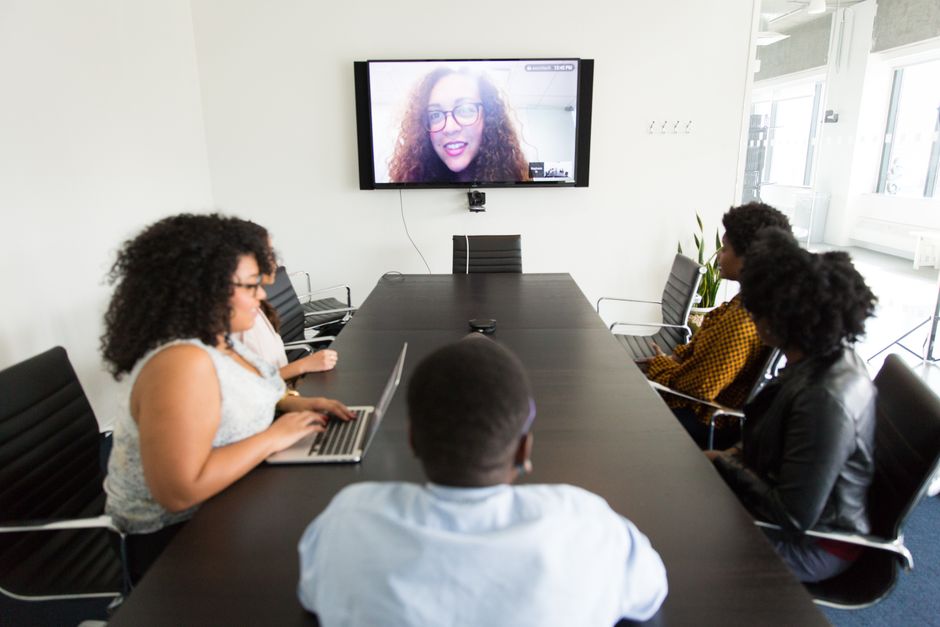
 AI-powered meeting assistants provide real-time transcription, translation, and automated action item extraction during virtual meetings.
Virtual Backgrounds, Avatars, and Presence Enhancement
AI is also transforming the visual aspects of virtual meetings, making them more engaging and reducing the cognitive load of video communication. AI-powered background removal and virtual background systems have evolved from simple chroma-key effects to sophisticated segmentation that accurately handles complex backgrounds, hair, and movement. These systems use deep learning models that run efficiently on consumer hardware, providing professional-looking video even in imperfect home environments. More advanced AI creates virtual presence effects that simulate eye contact by adjusting gaze in real time, making participants appear to look at the camera rather than the screen. This subtle effect significantly improves the feeling of connection in one-on-one conversations. For participants who prefer not to appear on video, AI-generated avatars represent them in meetings, reflecting their facial expressions and head movements in real time. These avatars maintain visual engagement cues such as nodding, smiling, and looking at speakers, preserving the non-verbal communication that video provides without requiring participants to appear on camera. AI also enhances audio quality through noise suppression that removes background sounds like typing, dogs barking, and street noise while preserving speech clarity. Some systems can distinguish between multiple voices in the same room and separate them into individual audio streams, improving clarity for hybrid meetings where some participants share a physical space. These visual and audio enhancements reduce meeting fatigue by improving the quality of virtual interaction, making remote meetings feel more natural and less draining.
Meeting Scheduling, Preparation, and Follow-Up
The full meeting lifecycle extends beyond the meeting itself, encompassing scheduling, preparation, and follow-up activities that consume significant time. AI streamlines every phase of this lifecycle. Intelligent scheduling assistants like Clockwise and x.ai handle the back-and-forth of finding meeting times across multiple participants' calendars, considering time zones, working hours, and meeting preferences. These systems automatically schedule optimal meeting durations rather than defaulting to 30 or 60 minutes, and they protect focus time by blocking deep work blocks on calendars. Before meetings, AI agents gather relevant context: previous meeting notes, shared documents, recent project updates, and attendee backgrounds. Participants receive briefing packets that help them come prepared without requiring manual research. After meetings, AI handles follow-up by distributing notes, tracking action items, updating project management tools, and scheduling any necessary follow-up meetings. The AI also analyzes meeting outcomes over time, identifying patterns such as which types of meetings tend to generate action items versus information sharing, and recommending format adjustments. For recurring meetings, AI evaluates whether each instance is necessary based on agenda quality, attendance patterns, and outcomes achieved. These insights help organizations reduce meeting volume while improving meeting quality, freeing more time for focused, productive work.
My Honest Take
- AI-powered transcription and note-taking capture every word of meetings, generating searchable transcripts and intelligent summaries with identified action items. — game changer in my workflow
- Real-time translation breaks down language barriers, enabling global teams to collaborate naturally in their preferred languages.
- Meeting analytics provide data-driven insights about participation patterns, engagement levels, and meeting effectiveness.
- AI enhances visual presence through intelligent backgrounds, eye contact simulation, avatars, and superior noise suppression. — game changer in my workflow
- Intelligent assistants automate the full meeting lifecycle from scheduling through preparation and follow-up.
- By improving meeting quality and reducing time wasted in unproductive meetings, AI significantly enhances team productivity and collaboration. — your experience may differ, but this worked for me
Maximize your team's productivity further with our guides on AI Meeting Notes and AI Scheduling and Calendar Management for comprehensive meeting management workflows.
But how do you actually use this?