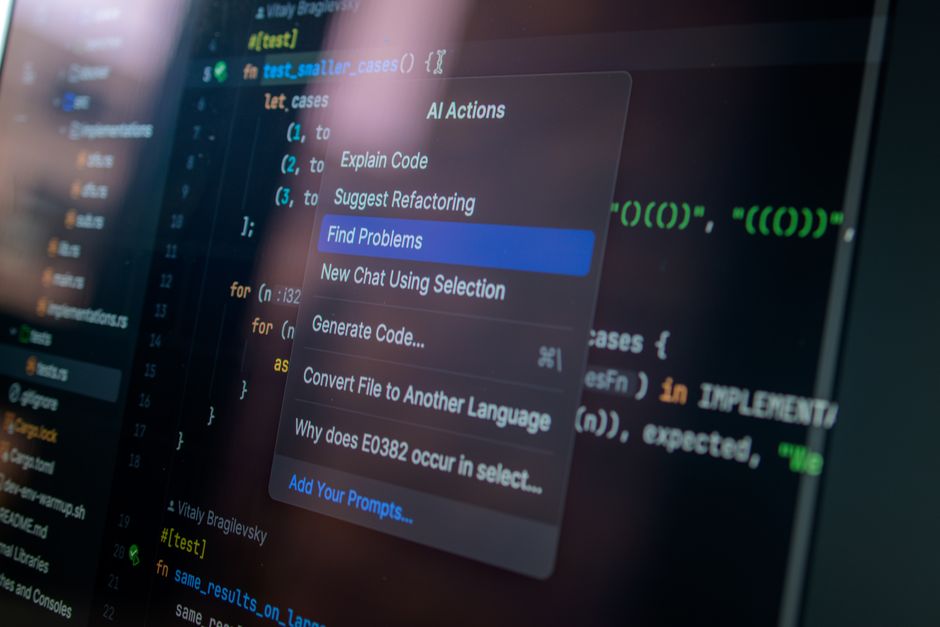
The First Time Claude Code Actually Impressed Me
It was a Tuesday evening in March. I'd been wrestling with a state management bug in a React app for about three hours. You know the kind — it works in dev, breaks in production, the error message is useless, and Stack Overflow threads from 2019 aren't helping because the library has been rewritten twice since then.
I'd been using Claude Code for about a week at that point, mostly for small things. Generate a utility function. Explain some regex I'd cargo-culted from somewhere. The kind of stuff that's nice to have but not transformative.
That evening, out of frustration, I pasted about 400 lines of component code into Claude Code and typed: "This works locally but throws 'Cannot read properties of undefined' in production. I've checked the API response shape, it's identical in both environments. What am I missing?"
It pointed out that I was destructuring a nested object before checking if the parent existed — a race condition that only triggered in production because the API response arrived slightly slower there. Three lines of code. Three hours of my life.
That's when I started taking Claude Code seriously.

What Claude Code Is, and What It Isn't
If you haven't used it: Claude Code is Anthropic's AI coding tool that runs in your terminal or editor. It's not autocomplete (that's Copilot's thing). It's not an AI-first IDE (that's Cursor). It's more like having a senior developer sitting next to you who's read your entire codebase and can reason through problems with you.
The key difference from other AI coding tools is the context window. Claude can hold an enormous amount of code in its working memory — hundreds of thousands of tokens. This means it can understand how files relate to each other across your entire project, not just the one you're currently editing.
That's the marketing pitch, anyway. In practice, it's sometimes amazing and sometimes deeply frustrating. The good days feel like magic. The bad days feel like arguing with a very knowledgeable intern who's convinced they're right about something they're completely wrong about.
Three Things I Use Claude Code For Every Day
Debugging when I'm stuck. This is the killer feature. I've stopped Googling error messages entirely. I just paste the error, the relevant code, and ask Claude Code what's going on. Maybe two-thirds of the time, it identifies the issue immediately. Another quarter of the time, it points me in the right direction. About one time in ten, it confidently suggests something completely wrong, which is somehow worse than just saying "I don't know."
Writing tests I've been putting off. I'm not proud of this, but I hate writing tests. I know they're important. I write them. But given the choice between implementing a feature and writing tests, I'll pick the feature every time. Claude Code has changed this dynamic. I describe what the function should do and what edge cases I'm worried about, and it generates a test suite. I still review everything — it occasionally misses edge cases I care about — but it turns a two-hour task into a twenty-minute one.
Understanding unfamiliar codebases. A few months ago I inherited a legacy Python service at work. No documentation. The original author had left the company. About 8,000 lines of Django with some questionable architectural decisions. I pointed Claude Code at the repo and spent an afternoon asking it questions. "What does this endpoint actually return?" "Why is there a database query inside a loop here?" "If I change this model, what else breaks?" It saved me probably a week of reading code and drawing diagrams on a whiteboard.
Where It Falls Short
I want to be fair here, because there's too much breathless "AI will replace developers" content out there. Claude Code will not replace a competent developer in 2026. Here's where I've seen it struggle:
Complex architectural decisions. If you ask it "should I use a monorepo or separate repos?", it'll give you a balanced list of pros and cons and then refuse to take a position. Which is actually the right answer — there's no universal truth here — but it's not going to replace the judgment that comes from shipping and maintaining real systems.
Performance optimization. It can identify obvious issues (N+1 queries, unnecessary re-renders, missing indexes). But when performance problems are subtle — a slow database query that only degrades under specific load patterns, a memory leak that only manifests after 48 hours — Claude Code is guessing, same as you.
Anything involving your specific business logic. Claude Code doesn't know your users, your domain constraints, or your company's peculiar requirements. It can help you implement things faster, but you still need to know what to build and why.
The Workflow That Actually Works For Me
After six months, here's what I've settled into:
I start every feature by writing a spec in plain English first. Not code. Just what I want to build and why. This takes maybe fifteen minutes and forces me to think clearly before involving the AI.
Then I ask Claude Code to read the spec and the relevant parts of the codebase, and suggest an implementation approach. I push back on things that don't make sense. Sometimes it suggests a cleaner architecture than I would have thought of. Other times I override it because it doesn't understand some constraint that only exists in my head.
Then I implement the feature myself, using Claude Code as a pair programmer — generating the boring parts, reviewing everything, asking it to explain things I don't understand. I'd estimate it makes me about 40-50% faster overall. Not 10x. Not "replace your engineering team." Just noticeably, meaningfully faster.
For junior developers, I think the value is actually higher — not because it does the work for you, but because it explains things. "Why did you structure it this way?" "What does this pattern mean?" These are questions a junior dev might hesitate to ask a senior colleague but will happily ask an AI.
Worth Trying?
If you write code professionally and haven't tried Claude Code (or Cursor, or Copilot — pick one, they're all converging), you're leaving productivity on the table. The free tiers are good enough to evaluate whether it fits your workflow.
Just don't expect it to write your entire application while you sip coffee. That's not how any of this works in 2026. Think of it as a very fast, very knowledgeable, occasionally wrong colleague who never gets tired and doesn't mind reading your entire codebase at 11pm on a Sunday.