Introduction
Not even close.
Quality assurance and software testing are critical for delivering reliable, high-quality software, yet they remain among the most time-consuming and resource-intensive aspects of software development. Traditional testing approaches require manual test case creation, extensive execution time, and significant human effort to analyze results. As software applications grow more complex and release cycles accelerate, conventional testing methods struggle to keep pace. Artificial intelligence is transforming QA and testing by automating test generation, execution, and analysis in ways that make a big difference to coverage, speed, and reliability. AI-powered testing tools can automatically generate test cases from application behavior, adapt tests to UI changes, detect visual regressions, predict defect-prone code areas, and optimize test suites for maximum efficiency. This guide explores the key applications of AI in quality assurance and testing and how organizations can leverage these technologies to deliver higher quality software faster.
Too good to be true?
AI-Powered Test Case Generation
Creating comprehensive test cases is one of the most labor-intensive aspects of quality assurance. Traditional test design requires testers to manually identify scenarios, edge cases, and input combinations, a process that is both time-consuming and prone to human oversight. AI transforms test generation by automatically creating test cases that achieve broad coverage with minimal human input. Machine learning algorithms analyze application code, user behavior data, and historical defect patterns to generate test cases that target the most critical and defect-prone areas. For web and mobile applications, AI can record user interactions and automatically generate test scripts that reproduce real user journeys, ensuring that testing reflects actual usage patterns rather than theoretical scenarios. Tools like Testim, Mabl, and Functionize use AI to create self-healing tests that automatically adapt when application UI elements change, dramatically reducing the maintenance burden that plagues traditional test automation. For example, if a button's CSS class changes from "submit-btn" to "btn-submit," the AI recognizes the element by its characteristics and attributes rather than just its selector, automatically updating the test without human intervention. For API testing, AI generates test cases by analyzing API specifications, request-response patterns, and error conditions, ensuring comprehensive coverage of endpoints, parameter combinations, and edge cases. These AI-generated test suites achieve higher coverage than manually created tests while requiring a fraction of the effort to create and maintain. Organizations adopting AI test generation typically report 50 to 80 percent reductions in test creation time and significant improvements in defect detection rates.
Intelligent Visual Testing and UI Validation
I'm not exaggerating.
Visual regression testing ensures that application user interfaces appear correctly across different devices, browsers, and screen sizes. Traditional visual testing approaches involve manual visual inspection or pixel-by-pixel comparison, which generates excessive false positives from acceptable visual differences. AI-powered visual testing transforms this process by understanding visual content the way humans do, focusing on meaningful visual differences rather than pixel-level variations. Computer vision algorithms analyze screenshots and compare application renderings, detecting visual differences that matter such as missing elements, layout shifts, incorrect colors, or overlapping content while ignoring acceptable variations like anti-aliasing differences across browsers. Tools like Applitools, Percy, and Chromatic use AI-powered visual testing that learns what constitutes a meaningful visual change for each application. The AI can distinguish between intended UI changes, such as a new design element, and unintended regressions, such as a button that has shifted out of place. This intelligence dramatically reduces false positives, allowing teams to focus on genuine visual defects. Visual AI also validates that applications render correctly across multiple viewports and devices simultaneously, catching responsive design issues that might be missed in manual testing. For accessibility validation, AI visual testing tools automatically check for WCAG compliance issues such as insufficient color contrast, missing focus indicators, and content ordering problems. By automating visual validation, AI enables teams to catch UI defects early in the development cycle, reducing the cost of fixes and ensuring consistent user experiences across platforms.
Predictive Defect Analytics and Root Cause Analysis
Really well, actually.
Identifying where defects are likely to occur and understanding their root causes is essential for efficient quality assurance. AI predictive analytics transform defect management by analyzing historical defect data, code changes, and development process metrics to predict which code changes are most likely to introduce defects. Machine learning models evaluate factors such as code complexity, change frequency, developer experience, and code review thoroughness to assign risk scores to each change. When a developer submits a pull request with high predicted defect risk, the AI flags it for more intensive review and testing. Tools like CodeScene and SonarQube provide AI-powered code quality analytics that identify problematic code patterns, technical debt, and areas where defects are likely to cluster. These systems go beyond simple linting to understand code structure, dependencies, and evolution patterns, providing actionable recommendations for improvement. When defects are discovered, AI accelerates root cause analysis by automatically correlating defects with code changes, system events, and test results. Natural language processing analyzes defect descriptions and compares them with code commit messages, ticket descriptions, and test outputs to suggest likely causes. For example, when a regression is detected in the login flow, the AI might identify that a recent change to session management code coincides with the defect and flag the relevant commit for investigation. This automated analysis reduces the time spent on defect triage from hours to minutes, allowing teams to focus on fixing issues rather than finding their causes.
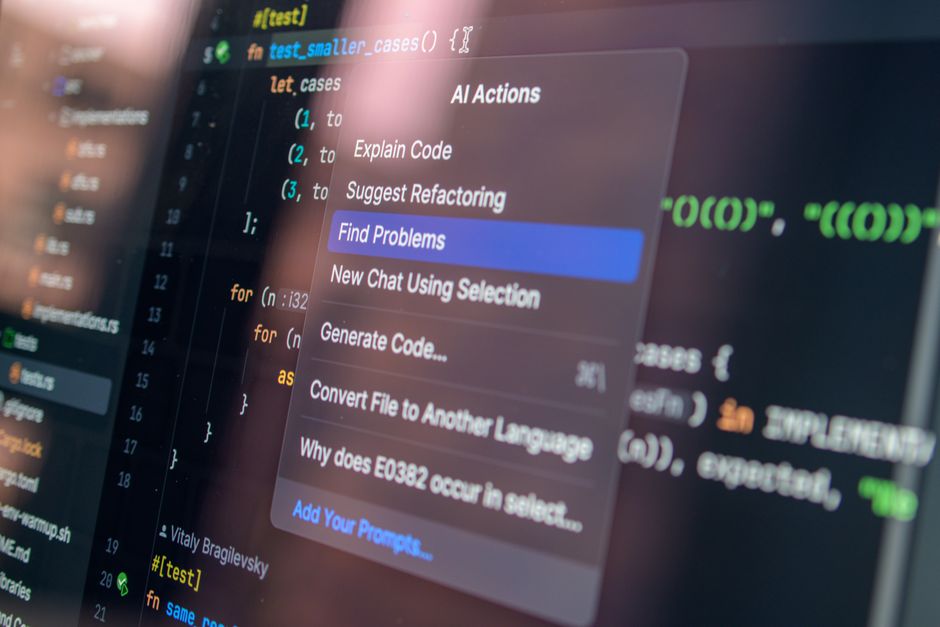
 AI-powered quality assurance platforms automate test generation, visual validation, and defect prediction for faster, more reliable software delivery.
So where does that leave us?
Test Suite Optimization and Execution Prioritization
As test suites grow, execution time becomes a significant bottleneck in development pipelines. Running comprehensive test suites can take hours, slowing feedback loops and delaying releases. AI optimizes test execution by identifying which tests are most valuable to run for each code change and prioritizing execution accordingly. Machine learning models analyze historical relationships between code changes and test results to predict which tests are likely to uncover defects for any given change. When a developer modifies a payment processing module, the AI identifies all tests that exercise that module and related functionality, running those first while deprioritizing tests that are unlikely to be affected. Tools like Sealights, Launchable, and Testsigma provide AI-powered test optimization that learns from each test run, continuously improving its understanding of test-code relationships. For regression testing, AI identifies the minimal subset of tests that provide maximum coverage assurance, enabling teams to run comprehensive regression suites on demand while maintaining fast feedback for routine changes. Test suite optimization also identifies redundant, low-value, or flaky tests, recommending their removal or improvement. Flaky tests that intermittently pass and fail without code changes waste team time and erode trust in test results. AI detects flaky tests by analyzing test execution history and flagging those with inconsistent results unrelated to code changes. By optimizing test suites, AI reduces execution time by 50 to 90 percent while maintaining or improving defect detection, enabling faster development cycles and more reliable releases.
So where does that leave us?
Implementing AI Testing in Your Organization
Here's what I've noticed: successfully adopting AI in quality assurance requires strategic planning and organizational change. Organizations should begin by assessing their current testing maturity, identifying the most significant pain points and highest-impact opportunities for AI implementation. Common starting points include automating visual regression testing for applications with frequent UI changes or implementing self-healing test automation for flaky test suites. Teams should start with a focused pilot project, measuring before-and-after metrics such as test creation time, defect detection rates, and false positive rates to demonstrate value before expanding. Data quality is critical for AI testing success. The algorithms require clean, well-organized test results, code change history, and defect data to train effectively. Organizations should invest in test data management and ensure that testing tools capture the metadata needed for AI analysis. Team skills and culture are equally important. QA engineers need training to understand AI testing tools and shift from manual test execution to test analysis, tool configuration, and AI oversight. Some team members may initially resist AI-driven testing, fearing it replaces their expertise. Clear communication about how AI augments rather than replaces QA skills, combined with opportunities for team members to develop new capabilities, eases this transition. The most successful AI testing implementations combine AI efficiency with human expertise in test strategy, exploratory testing, and quality advocacy. By approaching AI adoption thoughtfully, organizations can build testing capabilities that deliver higher quality software at greater velocity.
So what does this mean in practice?
If You Only Remember One Thing
- AI-powered test generation automatically creates comprehensive test cases from application behavior and user interactions, dramatically reducing test creation time. — wish I'd known this six months ago
- Intelligent visual testing uses computer vision to detect meaningful UI regressions while ignoring acceptable visual differences.
- Predictive defect analytics identify high-risk code changes and accelerate root cause analysis for discovered defects. — game changer in my workflow
- AI test optimization reduces execution time by prioritizing the most valuable tests for each code change.
- Successful implementation requires clean data, team training, and a strategic approach starting with focused pilots.
- The most effective QA approach combines AI automation with human expertise in strategy, exploratory testing, and quality advocacy. (this one actually surprised me)
In my experience, enhance your software development workflows with our guides on AI Coding Assistants and AI for Technical Documentation Writing for a complete development productivity toolkit.