What Exactly Is ChatGPT?
I first tried ChatGPT in early 2023, a few months after it launched. My expectations were low — I'd used plenty of chatbots before and they were all terrible. About thirty seconds into my first conversation, I realized this was different.
ChatGPT is a language model built by OpenAI. It reads your text input and predicts what should come next, one word at a time. That sounds simple, but the result is an AI that can hold genuine conversations, write code, analyze data, brainstorm ideas, and handle tasks that used to require a human expert.
Under the hood, it was trained on a huge corpus of internet text — books, articles, code repositories, forum discussions. The training process taught it patterns of reasoning, facts about the world, and how to follow instructions. When you ask it something, it's not searching a database. It's generating a response from scratch based on everything it learned during training.
As of mid-2026, over 300 million people use ChatGPT weekly. Some use it casually — drafting emails, planning meals, answering random questions. Others treat it as a core work tool, running entire workflows through it. I fall somewhere in the middle. I use it daily, but I'm picky about when and how.
Getting Started (It Takes About Two Minutes)
Go to chat.openai.com. Sign up with an email address or Google account. That's it — you're in.
The interface is intentionally sparse. A text box at the bottom. Your conversation history on the left. No complex menus, no onboarding wizard. I actually appreciate this minimalism — it means you start typing immediately rather than clicking through setup screens.
The free tier gives you access to a capable model with reasonable usage limits. For most casual users, this is genuinely enough. I used the free version for six months before upgrading, and honestly, it handled 80% of what I needed.
ChatGPT Plus costs $20/month and gets you access to the latest models, faster responses, priority during busy periods, and extras like image generation and advanced data analysis. If you use it professionally — writing, coding, research — the upgrade pays for itself. If you're just curious, stick with free until you hit a wall.
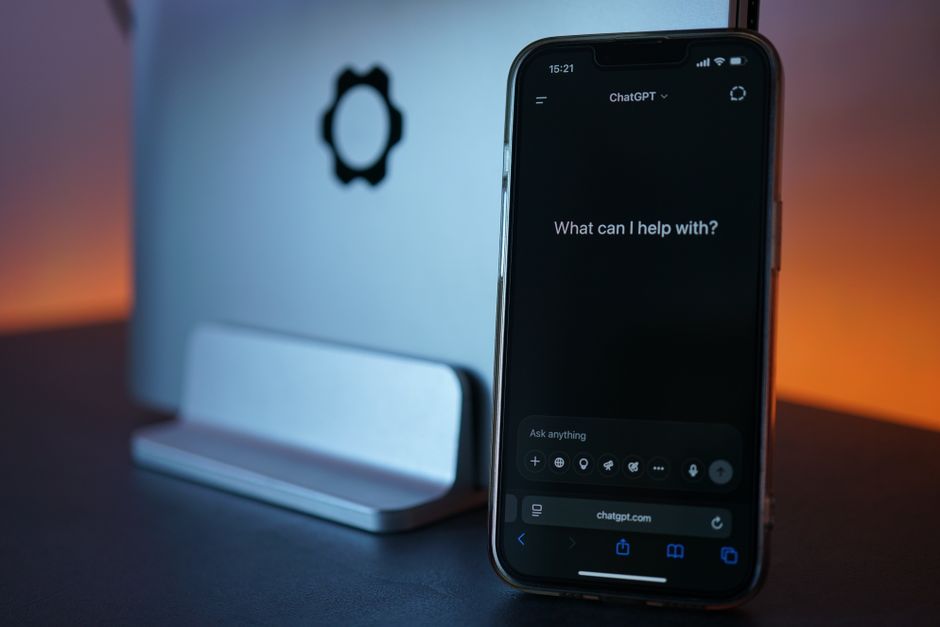
Here's my first piece of real advice: how you phrase your prompt is everything. A vague question gets a vague answer. "Tell me about AI" is useless. "Explain how large language models work, using analogies a high school student would understand, in about 300 words" — that gets you something actually helpful.
The Art of Prompting (This Took Me Way Too Long to Figure Out)
For my first few weeks with ChatGPT, I was underwhelmed. The responses were fine. Nothing special. Then a colleague showed me how he was prompting it, and the difference was night and day.
He used what I now call the "role-context-task-format" framework. You tell ChatGPT who to be, give it relevant background, specify exactly what you want, and describe the format you want it in. Four pieces of information that take ten extra seconds to write but transform the output.
Here's a real example. Bad prompt: "Write an email about a missed deadline."
Better prompt: "You're an experienced project manager. Our web development vendor missed their third deadline this quarter. Write a firm but professional email expressing frustration while keeping the relationship intact. Request a concrete recovery plan with dates. Keep it under 200 words."
Same tool. Completely different output. This isn't just theory — I've tested it hundreds of times. The structured prompt consistently produces better writing, better reasoning, and more actionable responses.
Another technique I use constantly: chain-of-thought prompting. Just add "walk me through your reasoning step by step" to any complex question. I've seen this improve accuracy by 20-40% on things like math problems, debugging sessions, and multi-step planning. It forces the model to show its work rather than jumping to a conclusion.
One more thing about prompts: you can iterate. If the first response isn't quite right, say so. "Shorter." "More casual tone." "Add a specific example." "That third paragraph doesn't make sense — try again." ChatGPT remembers the conversation context, so each refinement builds on the previous exchange. I rarely get exactly what I want on the first try. Maybe one time in five. The other four, I refine.
What's New in 2026
ChatGPT in 2026 is not the same tool it was two years ago. The biggest change is multimodality — you can now upload images, screenshots, and documents and have ChatGPT analyze them directly.
I use this constantly. Screenshot an error message, paste it into the chat, ask "what's going on here and how do I fix it?" Upload a photo of a whiteboard from a brainstorming session and ask ChatGPT to organize the ideas into a structured document. Take a picture of a restaurant menu in a foreign language and get translations for every dish.
Custom GPTs are another major feature. These are specialized versions of ChatGPT configured for specific tasks, and you can create them without any coding. I built one for my team's internal documentation — feed it our style guide and product specs, and it generates on-brand content automatically. The GPT Store has millions of community-made versions covering everything from language tutoring to tax preparation advice. Quality varies wildly, but the best ones are genuinely useful.
The data analysis tools have gotten dramatically better. Upload a CSV or spreadsheet and you can ask natural-language questions about it. "Which product category had the highest growth last quarter?" "Show me the correlation between marketing spend and signups." It generates charts, runs statistical tests, and writes up findings. I used to do this kind of analysis in Excel with pivot tables and formulas. Now I just describe what I'm looking for.
How I Actually Use ChatGPT
I'm not going to list every possible use case — there are hundreds. Here's what I personally use it for:
Writing and editing: I draft almost everything in ChatGPT first — emails, proposals, documentation outlines, even difficult messages I'm not sure how to phrase. The AI gives me a solid starting point, then I edit heavily. It's much faster than staring at a blank page.
Coding help: I'm not a professional developer, but I write enough code to be dangerous. When I get stuck on a bug or need to write a script in a language I'm shaky on, ChatGPT is my first stop. It won't replace a senior engineer, but for my level of programming, it's incredibly helpful.
Research and learning: When I'm trying to understand a new topic, I use ChatGPT as a starting point — not the final source. I ask it to explain concepts, suggest resources, and point me toward primary sources. Then I go verify everything. (You should too. It still hallucinates.)
Daily life stuff: Meal plans based on what's in my fridge. Workout routines when I'm traveling. Trip itineraries. Gift ideas. It's like having a really knowledgeable friend who's always available and never gets annoyed by random questions.
What ChatGPT Gets Wrong
A few things to watch out for:
It hallucinates. Confidently. It will invent facts, citations, and historical events that never happened and present them with complete conviction. I've learned to verify anything important against a second source.
It's bad at math. Despite improvements, ChatGPT can still stumble on multi-step calculations. Use it for the reasoning, not the arithmetic.
It can't tell you what happened last week. The training data has a cutoff date, and while web browsing features help, ChatGPT's knowledge of very recent events is spotty.
It sometimes agrees with you when it shouldn't. If you ask a leading question, ChatGPT tends to go along with your assumption rather than correcting you. This is especially dangerous when you're asking about something you don't know much about.
These aren't dealbreakers. They're just things to keep in mind so you don't get burned.
Should You Use ChatGPT?
If you work with text in any capacity — writing, coding, analyzing, communicating — yes, you should probably be using ChatGPT or something like it. The free tier is genuinely useful, and the productivity gains are real.
Is it going to replace your job? No. (At least not yet.) But in 2026, the people who know how to work effectively with AI tools have a real advantage over those who don't. Think of it like learning to use a search engine in the 1990s. At first it seemed optional. Then it wasn't.
My advice: start with the free version. Use it for real tasks, not just novelty prompts. Pay attention to what works and what doesn't. Get comfortable with iterating on prompts. After a few weeks, you'll know whether the paid upgrade makes sense for you.
For me, it's been worth it. But your mileage may vary — and that's fine.



