Suno AI has changed music creation by making it possible for anyone to generate professional-quality songs with vocals, instruments, and full arrangements using nothing more than text descriptions. Since its public launch in early 2024, Suno has rapidly evolved into the leading AI music generation platform, with its latest model, Suno v4, producing audio quality that rivals commercially produced music across virtually every genre. This comprehensive tutorial covers everything from basic song creation to advanced production techniques, helping musicians, content creators, and hobbyists unlock the full potential of AI-powered music generation.
Understanding Suno AI and How It Works
Suno AI was developed by a team of AI researchers and musicians who recognized that existing audio generation models were impressive but lacked the ability to create coherent, structured songs with lyrics, melody, harmony, and arrangement. Unlike text-to-music models that produce ambient soundscapes or instrumental loops, Suno is specifically designed to generate complete songs with verse-chorus structures, melodic development, and sung vocals that follow your provided lyrics. The underlying technology uses a diffusion-based architecture trained on a vast dataset of music spanning thousands of genres, decades of recording history, and dozens of languages. The model learns the fundamental patterns of musical structure, vocal delivery, instrumentation, and production techniques. When you provide a prompt describing the style, mood, and lyrics you want, Suno generates a complete song that matches your specifications. The v4 model represents a generational leap in quality, with improved vocal clarity, more natural phrasing, better instrument separation, and reduced artifacts compared to earlier versions. Most notably, v4 produces professional audio quality at 44.1 kHz sample rate with stereo output, making the results suitable for streaming platforms, video soundtracks, and even commercial releases with proper attribution. Suno is available through the web platform at suno.ai and through mobile apps for iOS and Android. The platform uses a credit system: free users receive 50 credits per day (enough for roughly 10 song generations), while paid subscriptions offer more credits and additional features. The Pro plan at $10 per month provides 2,500 credits, commercial usage rights, and priority generation speed. The Premier plan at $30 per month offers 10,000 credits, unlimited concurrent generations, and early access to experimental features. Suno also provides API access for developers who want to integrate AI music generation into their applications.
Too good to be true?
Creating Your First Song: Step-by-Step
Not even close.
Creating a song with Suno AI follows a straightforward process that anyone can master. Start by clicking the "Create" button on the Suno dashboard to open the song creation interface. You will need to provide two main inputs: a song description (or "style prompt") and optional lyrics. The song description is where you describe the genre, mood, instrumentation, and overall vibe you want. A good style prompt might be: "An upbeat indie pop song with driving drums, bright electric guitar, and a catchy synth hook. Energetic and optimistic, suitable for summer road trips." Or for a different genre: "A moody ambient electronic track with slow beats, atmospheric pads, and subtle bass. Melancholic and introspective, like the soundtrack to a rainy night." The more specific you are about genre, tempo, instrumentation, and mood, the more accurately Suno captures your vision. You can also include references to specific artists or songs: "In the style of artists like Phoebe Bridgers and Mitski, with intimate vocal delivery and sparse, emotional guitar accompaniment." For lyrics, you have three options: write your own lyrics, use Suno's automatic lyric generation, or provide partial lyrics and let Suno fill in the rest. Writing your own lyrics gives you the most control over the song's message and structure. If you choose to write your own, include section markers like [Verse], [Chorus], [Bridge], and [Outro] to help Suno understand the song structure. For example:
[Verse 1] Morning light through the window pane Memories falling down like rain I've been walking these empty streets Looking for a heart that beats
[Chorus] And I'm calling out your name Nothing ever stays the same Through the darkness and the light I'll find my way back home tonight
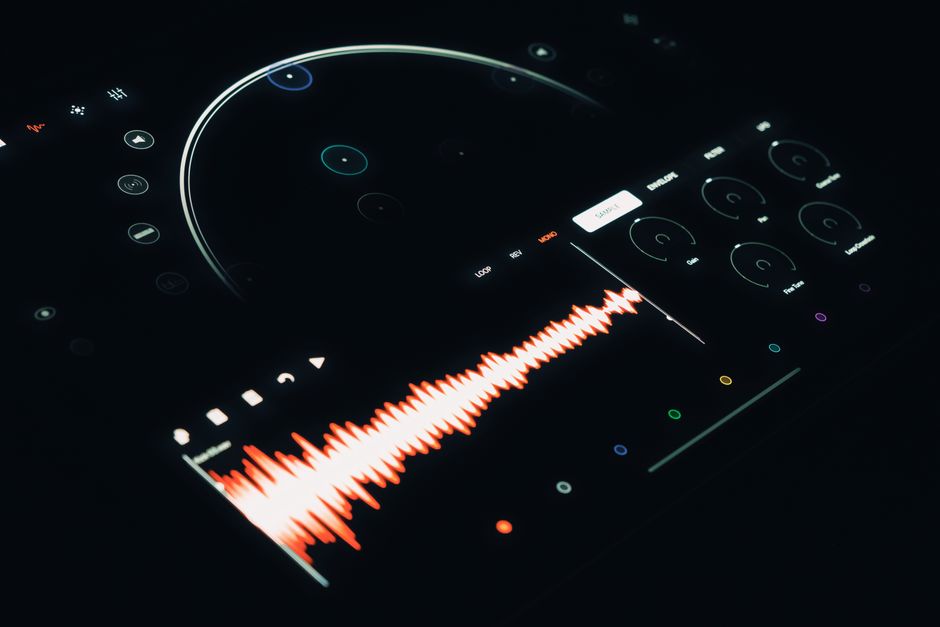
If you do not have lyrics, Suno's AI lyric generation can create them based on your song description. This feature works well for quickly prototyping ideas, but the results are more generic than custom-written lyrics. After setting your description and lyrics, choose whether you want to generate one or two variations of the song, and click "Create." Suno generates the full song in 30 to 60 seconds, complete with vocal melody, instrumental arrangement, and production. The generated song appears as a playable audio file with a waveform display, and you can download it as an MP3 or WAV file. If you don't love the result, you can regenerate it with the same settings or adjust your prompt and try again.
Advanced Prompt Engineering for Music
Game changer.
Mastering Suno AI requires moving beyond basic prompts and learning the art of music prompt engineering. The quality and specificity of your prompts directly determine the quality of the generated songs. Advanced users develop rich, multi-dimensional prompts that address several aspects of the music simultaneously. Genre specificity is the first layer: instead of "pop song," use "synth-pop with 80s-inspired production, arpeggiated analog synthesizers, gated reverb drums, and a driving bassline." This level of detail gives Suno precise musical reference points. The second layer is mood and atmosphere: words like "dreamy," "aggressive," "melancholic," "triumphant," or "intimate" shape the emotional character of the performance. The third layer is production quality: "lo-fi with vinyl crackle and warm saturation," "crisp modern production with wide stereo imaging," or "raw live recording with natural room reverb." For instrumental compositions, specify the instruments and their roles: "A fingerpicked acoustic guitar arpeggio with a gentle string section swell in the background, delicate piano countermelody, and soft brushed drums." The song structure prompt is another powerful tool. Instead of letting Suno determine the arrangement, you can specify: "Start with a quiet verse with only vocals and piano, build with drums and bass entering in the second verse, full band chorus with layered harmonies, a stripped-down bridge section, and a powerful final chorus with additional orchestral elements." This level of structural direction dramatically improves the narrative arc of your song. For genre fusion, you can combine styles: "A bluegrass-meets-hip-hop track with banjo and mandolin over 808 drums and a trap beat, with rap verses and a sung bluegrass harmony chorus." Suno handles these cross-genre prompts surprisingly well, often creating genuinely novel musical hybrids. For lyrics, you can indicate vocal delivery style within the lyrics themselves: [Spoken], [Sung softly], [Belting], [Harmony], [Rapped], [Whispered]. These delivery markers help Suno vary the vocal performance across the song, creating dynamic and emotionally engaging arrangements. The platform also supports non-English lyrics, and the v4 model handles dozens of languages with impressive naturalness, including Spanish, French, German, Japanese, Mandarin, Korean, Portuguese, and Italian.
Song Extension, Remixing, and Iterative Refinement
Here's a real example from my own use: suno AI offers several features for refining and extending generated songs, enabling an iterative creative process similar to how human musicians develop ideas. The "Extend" feature allows you to add additional sections to an existing song. If Suno generated a great verse and chorus but the song is too short, you can select the Extend option and specify what you want added -- a bridge, a guitar solo, an intro, or an extended outro. Suno generates the new section in the same style and key as the original, maintaining musical coherence. This makes it possible to build longer, more complex arrangements from shorter initial generations. The "Remix" feature lets you take a song you have already created and regenerate it with modified prompt settings or altered lyrics while keeping the core musical elements. This is incredibly useful when you are almost happy with a song but want to refine specific aspects. For example, if the vocal melody is great but the instrumentation feels too sparse, you can remix with a modified prompt that adds "fuller instrumentation with strings and backing vocals" while keeping your original lyrics and structure. The remix retains the essential character of the original while incorporating your new directions. For professional users, Suno provides "Stems" extraction, which separates the generated song into its component parts: vocals, drums, bass, and other instruments. Having access to individual stems is invaluable for further production work. You can import the stems into a DAW (Digital Audio Workstation) like Ableton Live, Logic Pro, or FL Studio for additional editing, effects processing, arrangement changes, or mixing. This workflow combines Suno's AI generation power with traditional music production tools, giving you the best of both worlds. The stems feature is available on the Premier plan and requires no additional software -- Suno processes the separation server-side and provides downloadable stems. For collaborative projects, Suno supports shared projects where multiple users can contribute prompts, lyrics, and feedback on the same song. Team members can suggest prompt changes, propose alternative lyrics, and vote on their favorite generated versions. This social creation workflow opens up new possibilities for remote music collaboration, allowing songwriting teams to work together regardless of geographic location.
But how do you actually use this?
Commercial Usage and Licensing
Understanding the licensing and commercial usage rights for AI-generated music is essential for anyone planning to use Suno songs in professional contexts. Suno's licensing terms vary by subscription tier. Free users generate music for personal, non-commercial use only. Pro and Premier subscribers receive full commercial usage rights for all songs they create on the platform. This means you can legally use Suno-generated music in YouTube videos, podcasts, streaming releases, advertising, film and television, and other commercial projects. The commercial license covers both the audio content and any lyrics generated by Suno's AI, though if you use entirely original lyrics that you wrote yourself, you retain separate copyright in those lyrics. There are some important considerations to understand. While Suno grants you commercial usage rights, the underlying legal framework for AI-generated music is still evolving. Copyright offices in different countries have different rules about whether AI-generated content can be copyrighted. In the United States, the Copyright Office currently requires significant human creative input for copyright protection, which means that songs generated from a simple text prompt with AI-generated lyrics may have limited copyright protection. To maximize your legal position, contribute significant human creative input: write your own original lyrics, make specific structural and production choices through detailed prompts, and use iterative refinement to shape the final result. Documenting your creative process can also help establish the extent of your creative contribution. For music being released on streaming platforms like Spotify, Apple Music, and YouTube Music, Suno-generated songs are generally accepted as long as you hold the appropriate subscription tier. Some platforms have specific disclosure requirements for AI-generated music, so check each platform's current policies before releasing. Suno has also implemented content filtering to prevent the generation of music that mimics specific copyrighted recordings too closely, reducing the risk of accidental copyright infringement. The platform also filters out prompts requesting hateful content, explicit material involving minors, or other prohibited content. For commercial projects requiring exclusive rights or higher volumes of music, Suno offers enterprise licensing with custom pricing, dedicated support, and white-label options for businesses that want to integrate Suno's technology into their own products.
The Short Version
- Suno AI generates complete songs with vocals and full instrumentation from text descriptions, with the v4 model producing near-professional audio quality at 44.1 kHz stereo.
- Effective prompts describe genre, mood, instrumentation, tempo, and production style in specific detail, while lyrics can be custom-written (with section markers) or AI-generated. — your experience may differ, but this worked for me
- The Extend, Remix, and Stems features enable iterative refinement, song expansion, and integration with professional DAW workflows for advanced music production.
- Pro ($10/month) and Premier ($30/month) plans provide commercial usage rights, higher credit limits, and access to premium features like stem separation and API access.
- Licensing for AI-generated music is evolving; contributing significant human creative input and documenting your process strengthens copyright protection for generated songs. — your experience may differ, but this worked for me
For more AI creative tools, explore our Runway AI Video Generation Guide and Pika AI Video Generation Guide. If you are interested in AI for audio, see Krisp AI Noise Cancellation Guide.



