Descript has fundamentally reimagined video editing by treating video as a text document that you can edit by simply editing the words. Instead of cutting and splicing clips on a traditional timeline, Descript transcribes your video automatically, and you edit the transcript to edit the video -- delete a word, and the corresponding video frame disappears; rearrange a sentence, and the video clips reorder themselves. This shift has made video editing accessible to millions of people who found traditional editors like Premiere Pro or Final Cut Pro too complex and time-consuming. In this in-depth look, we cover everything from basic editing to advanced AI features that make Descript one of the most powerful media production tools available in 2026.
Understanding Descript's Text-Based Editing Paradigm
Descript was founded in 2017 by Andrew Mason (founder of Groupon) and a team of media and technology experts. The core insight behind Descript is that editing video and audio is really about editing a sequence of words, and the best interface for that is text. Traditional video editors force you to work with visual waveforms and clip segments on a timeline, requiring you to watch footage, find edit points, split clips, and rearrange segments manually. Descript eliminates nearly all of this friction. When you import a video or audio file into Descript, it automatically transcribes the spoken content using AI-powered speech recognition that's remarkably accurate, even with multiple speakers, accents, and background noise. The transcription appears as a text document in the editor, synchronized frame-by-frame with the media. Any edit you make to the text translates directly into an edit in the underlying media. Delete a sentence from the transcript, and the corresponding section of video and audio is removed from the timeline. Copy and paste a paragraph, and the media segments reorder themselves. This approach makes video editing intuitive for anyone who can use a word processor. The platform supports editing video, audio, and screen recordings, making it a comprehensive media production tool for podcasters, YouTubers, marketers, educators, and business communicators. Descript is available for Windows and macOS, with a free tier that provides basic editing features and transcription credits. Paid plans start at $24 per month for the Hobbyist plan (10 hours of transcription per month, basic AI features), $40 per month for the Business plan (unlimited transcription, all AI features, team collaboration), and Enterprise pricing for organizations with advanced needs. The transcription engine supports over 20 languages, and processed transcripts are searchable, making it easy to find specific content across your entire media library.
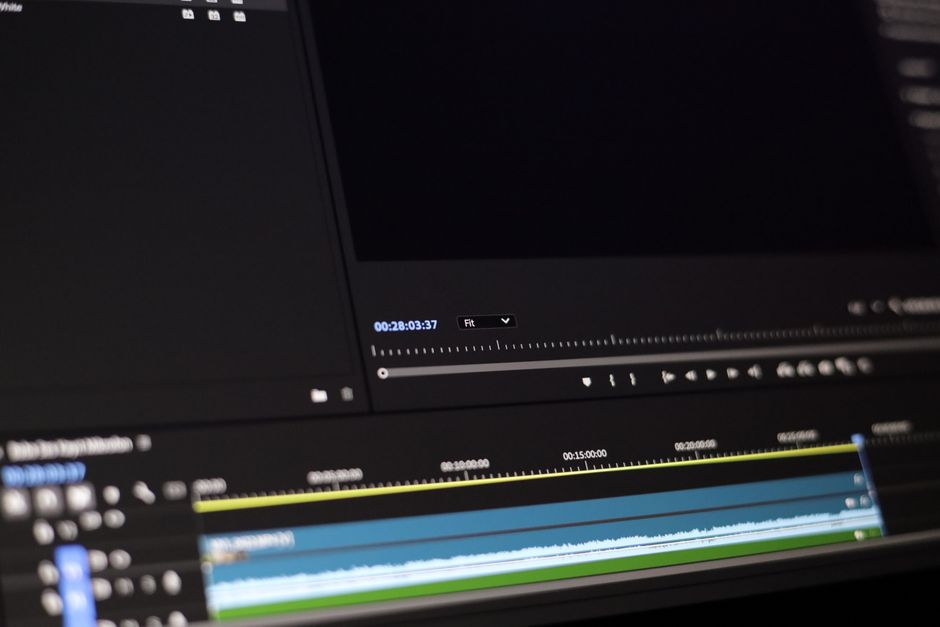
Core Editing: Transcription, Text-Based Cuts, and Audio Tools
The editing workflow in Descript begins with importing your media file. Descript supports all common video formats (MP4, MOV, AVI) and audio formats (MP3, WAV, AAC, FLAC). You can also record directly within Descript using its built-in screen and camera recorder, which captures high-quality video with separate audio tracks for system audio and microphone. Once your media is imported, Descript processes the transcription automatically. Processing time depends on the file length, with a 30-minute video typically transcribing in 2 to 5 minutes. The transcription appears in the main editor panel with speaker labels automatically assigned based on voice analysis. Each word is highlighted as the media plays, providing a karaoke-style reading aid that helps you stay synchronized with the content. The text-based editing is where Descript shines. To remove a section of the video, you simply select the words in the transcript and press Delete. The word, the corresponding video, and the audio track all disappear, and the remaining media snaps together seamlessly. To rearrange content, you select a block of text and drag it to a new position. The media follows the text, and Descript automatically adds crossfades or transitions to smooth the join. The "Remove Filler Words" feature is one of Descript's most popular tools. With a single click, Descript identifies and removes all "ums," "uhs," "likes," "you knows," and other verbal filler from your recording. You can preview each removal before applying it, and Descript uses AI to fill the gaps with clean audio from the surrounding words, creating natural-sounding speech without the characteristic "choppiness" of simple silence removal. The tool also detects and can remove long pauses, repeated words, and false starts. For audio refinement, Descript's Studio Sound feature uses AI to enhance audio quality. It removes background noise, normalizes volume levels, reduces reverb, and clarifies speech -- all with a single toggle. Studio Sound can make recordings from a home office sound like they were captured in a professional studio, dramatically improving the perceived quality of podcasts, meetings, and video narration. The "Breathe Removal" feature identifies and silences audible breaths in the vocal track, another common polishing task that is tedious to do manually.
AI Voice Features: Overdub and Voice Cloning
Descript's most advanced AI feature is Overdub, which allows you to create a synthetic voice clone that can generate new speech in your own voice. The process begins with voice training: you record a script of approximately 10 minutes of high-quality audio, reading provided sentences that cover the full range of phonemes in your language. Descript's AI analyzes this recording to create a voice model that captures your vocal characteristics, including tone, pitch, cadence, and subtle speech patterns. Once your voice model is created, you can use Overdub to generate new spoken content simply by typing words in the transcript. Descript speaks your typed words in your voice, and they appear as a new track in the editor, fully synchronized with the video. This capability is transformative for content creators. If you make a mistake during recording, instead of re-recording the entire segment, you can type the correct words and have Overdub generate them in your voice. If you need to insert a new section of narration in a finished video, you type it and Overdub speaks it. If you want to correct a mispronunciation or change a specific word, you edit the text and Overdub regenerates only that word. The Overdub quality has improved dramatically with each generation, and the current version is virtually indistinguishable from natural speech in most contexts, with natural prosody, emphasis, and emotional inflection. Descriptive's "Script Revoice" feature extends this concept further: you can write an entirely new script, and Descript will generate the entire narration in your voice, perfectly synchronized to the video length. This enables workflows where you write and refine the script before recording, or where you change the script significantly without re-recording. Descript also offers a library of stock AI voices for situations where you need a narrator voice tthat'snot your own, suitable for explainer videos, corporate training, and documentary narration. The stock voices range from professional broadcast tones to casual conversational styles, in multiple languages and accents. For voice actors and professional narrators, Descript provides a "Filler Phrase" substitution feature where you can replace awkward phrasing in the transcript, and Overdub generates the replacement audio in the appropriate voice. This is particularly useful in interview editing, where you might want to change a guest's phrasing for clarity while keeping their voice natural.
Screen Recording, Remote Recording, and Filler Word Removal
What surprised me was descript includes a powerful screen recording tool that captures your screen, camera, and audio simultaneously. The screen recorder supports full-screen or window-specific capture, multi-display setups, and picture-in-picture camera overlay. Unlike many recording tools that produce massive, uncompressed files, Descript optimizes recordings for quality and file size. The recorder also supports drawing tools, mouse highlighting, and keystroke visualization, making it ideal for software tutorials, product demos, and walkthrough videos. For distributed teams, Descript's remote recording feature is a standout capability. The "Remote Recording" tool allows you to invite up to 10 participants to record a session from their own computers, with each participant's video and audio recorded locally on their own machine rather than streamed and compressed. This yields studio-quality recordings regardless of internet connection quality, as each participant's local file uploads after the session ends. The recordings are automatically synchronized in Descript, with each speaker appearing on a separate track with their own transcription. This is far superior to standard Zoom or Meet recordings, where audio quality is limited by network conditions and all speakers are mixed into a single audio track ththat'sifficult to edit separately. The composite editing workflow for multi-speaker content is intuitive. After a remote recording, you see a transcript with clearly labeled speakers. You can edit the conversation by deleting sections, rearranging the order of discussion, removing tangents, and tightening the overall flow. The "Composite Clips" feature creates a single, seamless track from your edited transcript, automatically handling the transitions between speakers. This is the workflow used by many of the world's most popular podcasts and video shows, where a 60-minute conversation might be edited down to a tight 30-minute episode with all the best content preserved and all the dead air, tangents, and false starts removed. The editing process is dramatically faster than traditional multi-track audio editing, often reducing a project from several hours to under 30 minutes.
Sounds simple, right?
Export, Publishing, and Integration Workflows
I learned this the hard way: descript provides flexible export options that accommodate various distribution needs. You can export your finished video in 4K resolution up to 60 frames per second, with customizable output settings for format (MP4, MOV, GIF), codec (H.264, H.265, ProRes), and bitrate. Audio can be exported as WAV, MP3, or AIFF files at sample rates up to 96kHz. For social media content, Descript offers preset export configurations for YouTube, TikTok, Instagram Reels, LinkedIn, and Twitter, automatically setting the optimal resolution, aspect ratio, and format for each platform. The "Export as" feature can also generate subtitles in SRT or VTT format, social media captions, show notes, and text transcripts alongside the video file. For podcasters, Descript generates chapter markers, episode descriptions, and RSS-compatible metadata automatically from your transcript. Descript integrates with a growing ecosystem of production tools. Direct publishing to YouTube, Vimeo, Spotify for Podcasters, and Apple Podcasts is available, with Descript handling metadata, thumbnails, and descriptions. For team workflows, Descript's collaboration features allow multiple editors to work on the same project simultaneously, with changes tracked and synchronized through cloud storage. Team members can leave time-stamped comments on specific words or video frames, request changes, and approve final versions. The Slack and Notion integrations enable notifications and project management connections. For advanced users, Descript exports to Final Cut Pro XML and Premiere Pro AAF formats, allowing you to move your project into traditional NLEs for finishing work like color grading, visual effects, or complex multi-cam editing. Descript also provides an API for programmatic access, enabling custom integrations and automated media processing workflows. This is particularly valuable for teams producing large volumes of content, who can build automated pipelines that ingest recordings, transcribe them, apply standard edits like filler word removal, and output finished videos without manual intervention.
The Short Version
- Descript changes video editing by letting you edit the text transcript instead of manipulating clips on a timeline, making video editing accessible to anyone comfortable with a word processor.
- Core features include automatic multi-speaker transcription, text-based cuts and rearrangements, filler word removal, Studio Sound audio enhancement, and breath removal.
- Overdub AI voice cloning allows you to generate new speech in your voice by typing, enabling seamless correction of recording mistakes without re-recording.
- Remote recording captures studio-quality audio from up to 10 participants by recording locally on each machine, far superior to standard video conferencing recording quality.
- Export options include direct publishing to YouTube, Vimeo, and podcast platforms, with advanced exports to Final Cut Pro and Premiere Pro for finishing work. — wish I'd known this six months ago
- Descript's pricing ranges from free (basic editing) to $40/month Business plan (unlimited transcription, all AI features, team collaboration). — wish I'd known this six months ago
For more AI content creation tools, see our Copy.ai Marketing Content Guide and Notion AI Writing Assistant Guide. To learn about AI for audio optimization, read Krisp AI Noise Cancellation Guide.



